

🌐 05. Regional Presets & Preferences (Regional Presets)
Align calculations with your local driving environment and lifestyle for maximum accuracy.
Fuel prices, electricity tariffs, toll fees, and depreciation rules vary substantially across borders. TrueCostAuto includes built-in presets for countries worldwide while supporting customizable parameter overrides and user-defined factors.
📑 In This Guide
- Country and Regional Presets (Regional Presets)
- Measurement Units and Currency Formats (Measurement Units)
- Energy Benchmarks and Road Toll Rates (Cost & Price Benchmarks)
- Financial Considerations & Depreciation Modeling (Financial Considerations)
- Decision Factor Weights and Custom Factor Extensions (Decision Factors)
- Complete Decoupling of Interface Language from Region Settings
1. Country and Regional Presets (Regional Presets)
Navigate to the Presets tab in the bottom bar to locate the country selection card at the top:
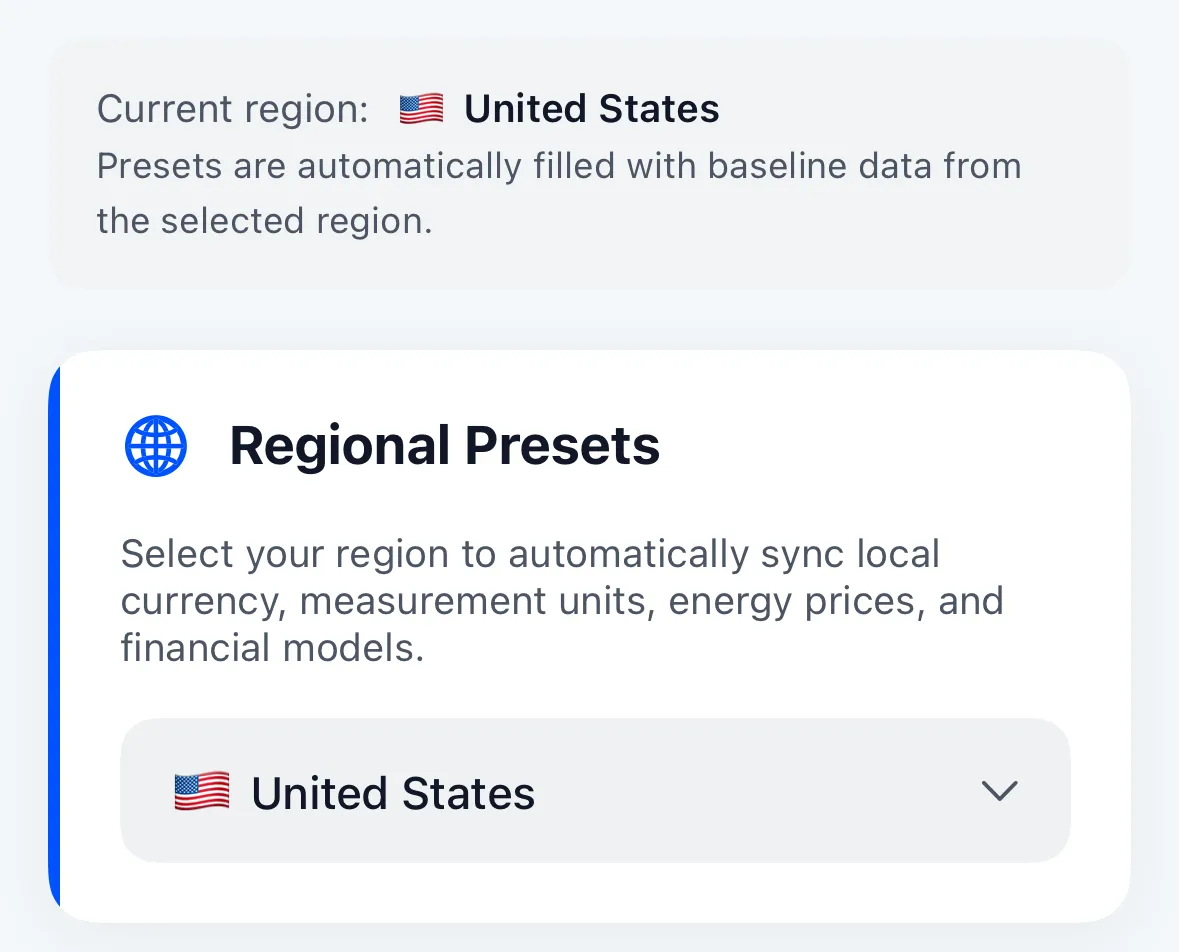
- One-Tap Global Market Synchronization: Tap the dropdown menu to toggle between over 20 major countries and territories (e.g., United States, Germany, Japan, United Kingdom, Canada, Australia, France, China, etc.);
- Automated Parameter Alignment: Selecting a region instantly populates official currency symbols, measurement units, local fuel/electricity averages, transit fees, and statutory tax rules.
2. Measurement Units and Currency Formats (Measurement Units)
Different drivers follow different measurement conventions. TrueCostAuto supports full manual control over units of measure:
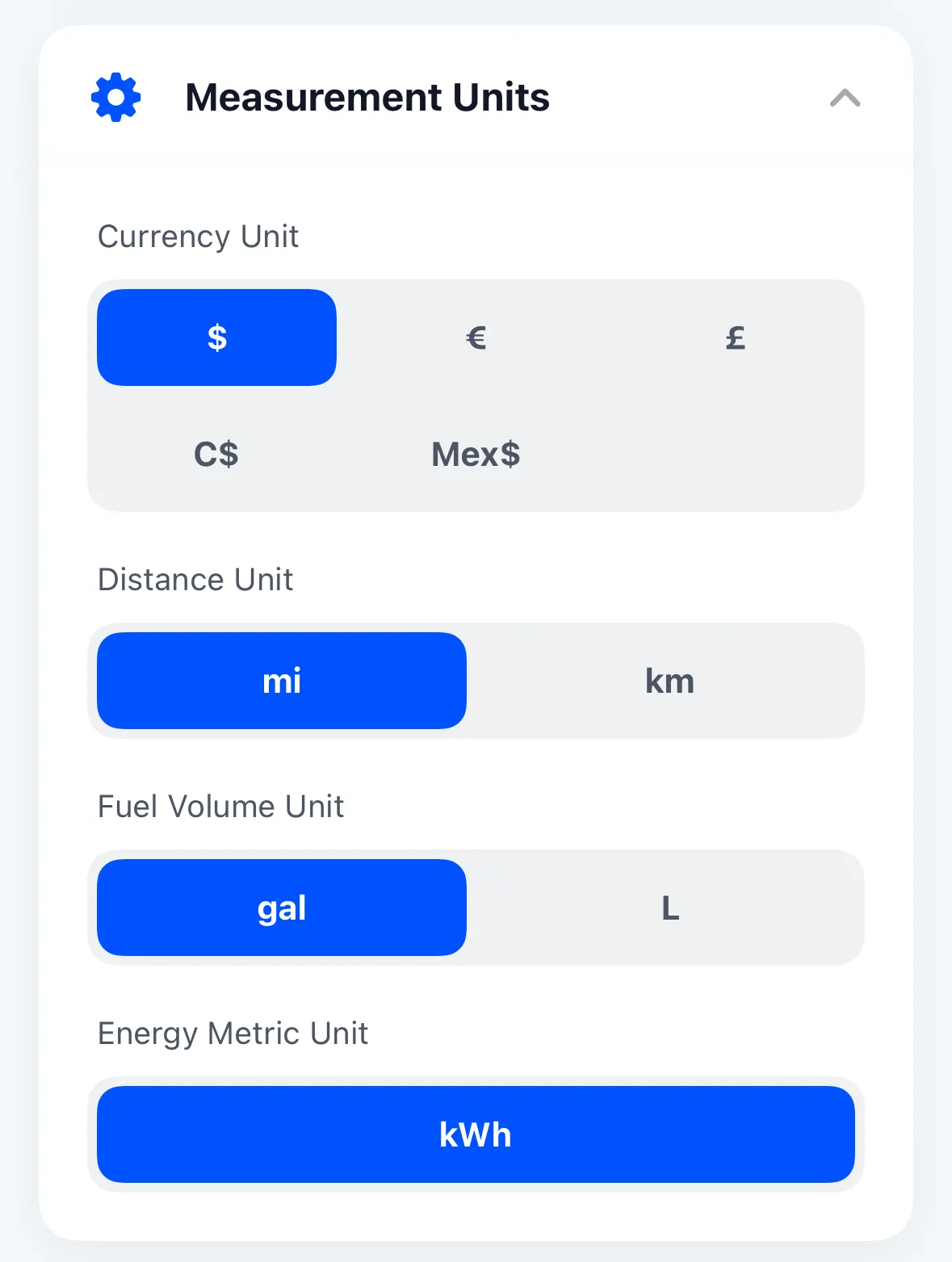
- Currency Unit: Switch freely among US Dollars (
$), Euros (€), British Pounds (£), Japanese Yen (¥), Canadian Dollars (C$), Mexican Pesos (Mex$), and more; - Distance Unit: Toggle between Metric kilometers (
km) and Imperial miles (mi); - Fuel Volume Unit: Choose between liters (
L) and gallons (gal); - Electrical Energy Unit: Standardized globally on kilowatt-hours (
kWh).
3. Energy Benchmarks and Road Toll Rates (Cost & Price Benchmarks)
Every vehicle in your garage references the baseline benchmarks defined here:
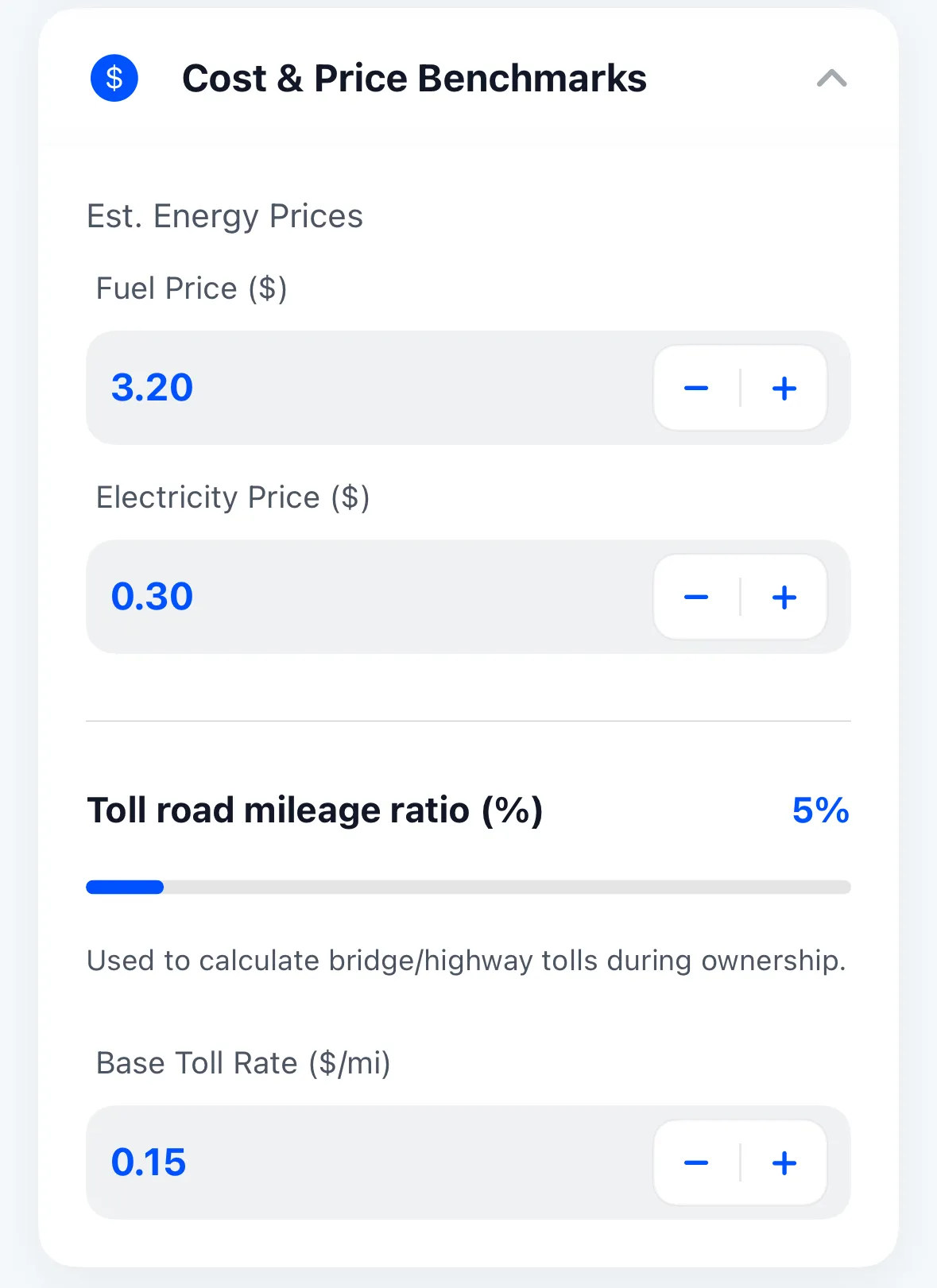
- Benchmark Energy Prices (Est. Energy Prices):
- Benchmark Fuel Price (Fuel Price): Set the prevailing pump price per liter or gallon (e.g.,
$3.20/galor€1.85/L); - Benchmark Electricity Price (Electricity Price): Enter the average residential or commercial charging cost per kWh (e.g.,
$0.15/kWhor€0.35/kWh);
- Benchmark Fuel Price (Fuel Price): Set the prevailing pump price per liter or gallon (e.g.,
- Road & Highway Tolls (Tolls & Highway):
- Toll Road Mileage Ratio: Specify what percentage of your annual driving takes place on toll highways or bridges (e.g., 5% to 30%);
- Base Toll Rate: Define the average toll charge per mile or kilometer (e.g.,
$0.15/mior€0.10/km).
New vehicles created in your garage inherit these global benchmarks automatically. If a specific car has unique advantages (e.g., free employer charging or a subsidized toll transponder), you can override these values individually in that vehicle’s profile.
4. Financial Considerations & Depreciation Modeling (Financial Considerations)
Cars are both daily transportation and major capital assets. TrueCostAuto applies rigorous financial mathematics to model their value:
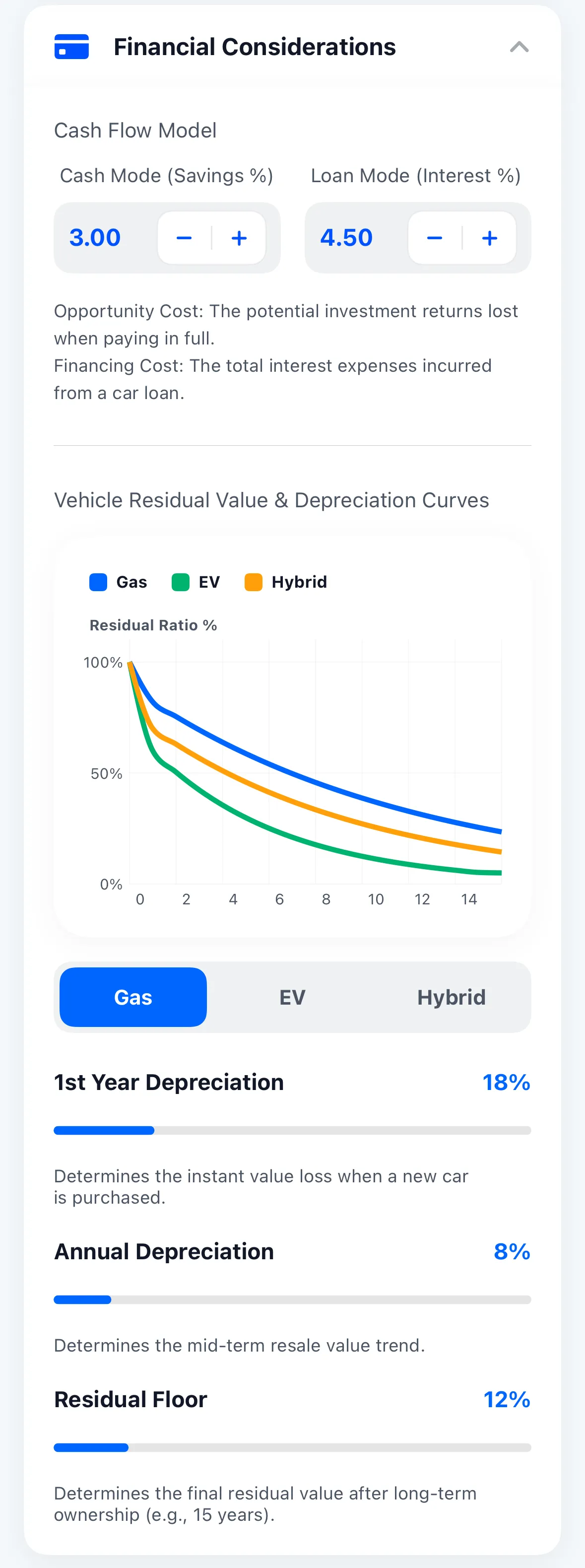
4.1 Cash Flow Financing Models (Cash Flow Model)
- Cash Mode Opportunity Cost (Cash Mode - Savings %): Set the annualized return expected if cash spent on an outright purchase were instead placed into safe treasury bills or savings vehicles (e.g., 3.00%), capturing the true financial trade-off;
- Auto Loan Interest Rate (Loan Mode - Interest %): Enter the nominal annual borrowing APR (e.g., 4.50%) to calculate cumulative financing interest paid to lenders.
4.2 Three Powertrain Depreciation Curves (Residual Value Curves)
The app plots actuarial residual retention curves from Year 0 through Year 15 across Gasoline (Gas), Battery Electric (EV), and Hybrid / PHEV powertrains:
- 1st Year Depreciation: Governs the initial cliff loss upon driving off the dealer lot (e.g., 18%);
- Subsequent Annual Compound Depreciation: Sets the gradual decay rate compounding from Year 2 onward (e.g., 8%/year);
- Residual Floor: Establishes a realistic terminal salvage value (e.g., 12% at Year 15), preventing residual projections from dropping artificially to zero.
5. Decision Factor Weights and Custom Factor Extensions (Decision Factors)
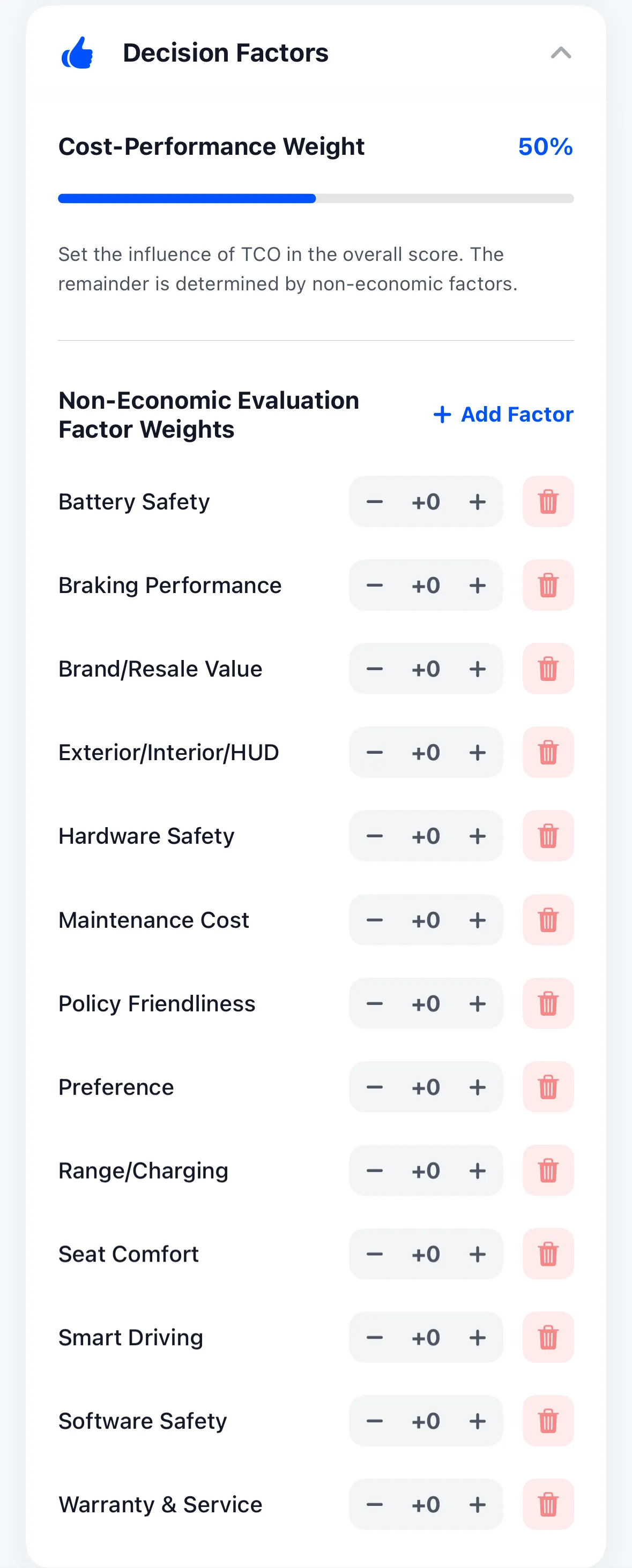
In vehicle comparisons and PRS scoring, every buyer strikes a unique balance between budget discipline and premium enjoyment:
5.1 Cost-Performance Weight Slider
- Drag the slider to set the weighting proportion allocated to TCO financial cost (e.g., 50%);
- The remaining weight is distributed evenly across subjective vehicle attributes.
5.2 Subjective Factor Weight Tuning
TrueCostAuto includes 13 built-in benchmark factors. Tap + or - to dial in individual weights:
- Battery Safety, Active Braking, Brand & Resale, Exterior/Interior/HUD, Crashworthiness, Maintenance Costs, Government Policies, Personal Preference, Range & Charging, Seat Ergonomics, Driving Assistance, Software Security, and Warranty Support.
🌟 Tap ”+ Add Factor” to Create Custom Criteria
True personalization means evaluating what matters to your real life!
Tap the + Add Factor button in the upper right corner to add any custom evaluation criterion that fits your household (e.g., “Child Car Seat ISOFIX Clearance”, “Camping V2L Outbound Power”, “Pet-Friendly Scratch-Resistant Interior”, “Golf Bag Trunk Clearance”). Custom factors are weighted and integrated directly into the PRS scoring matrix.
6. Complete Decoupling of Interface Language from Region Settings
Expatriates, international students, and frequent travelers often live abroad while preferring their native language.
TrueCostAuto completely separates Display Language from Country/Region Presets:
- You can set the interface to your preferred language;
- Simultaneously select “United States”, “Germany”, or “Japan” as your driving region;
- All button labels and explanations appear in your chosen language, while currencies, road fees, and fuel prices seamlessly match local reality.
With your regional presets calibrated, learn how to safeguard your data and migrate across devices in 06. Data Management & Settings Center.