
🚀 Quick Start: 5 Minutes to FlashNote Mastery
Welcome to FlashNote! This guide gets you up and running with the sidebar workbench, global hotkeys, and the dual-track Notes and Books system.
1. Opening FlashNote & Shortcuts
FlashNote integrates natively into your browser sidebar, allowing uninterrupted note-taking while browsing:

- Sidebar Residency: Click the FlashNote icon in your extension bar, or choose FlashNote in Chrome’s side panel;
- Instant Hotkey:
- macOS: Command + Shift + F
- Windows / Linux: Ctrl + Shift + F
- Pressing the shortcut opens the panel instantly and autofocuses the editor.
2. Notes vs Books (Dual-Track Workspace)
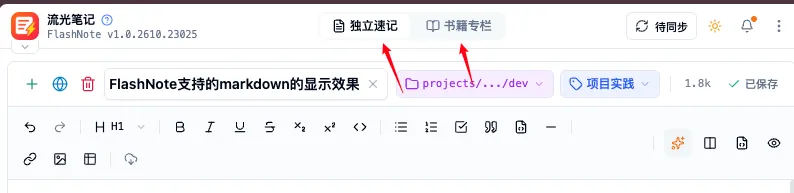
FlashNote separates content into two complementary tracks:
| Workspace | Best For | Key Capabilities |
|---|---|---|
| Notes | Temporary ideas, meeting notes, code snippets, tasks | Flat listing, instant creation, tag filtering |
| Books | Tutorials, book manuscripts, long-form courses | Multi-chapter hierarchy, drag-and-drop tree, batch publishing |
Switch between Notes and Books seamlessly via the top navigation bar.
3. Creating Notes & Web Capture
Scenario A: Quick Note Creation
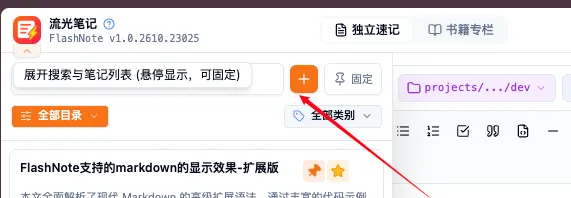
- Open the FlashNote sidebar;
- Click the “New Note (+)” button (or press Ctrl/Cmd + N);
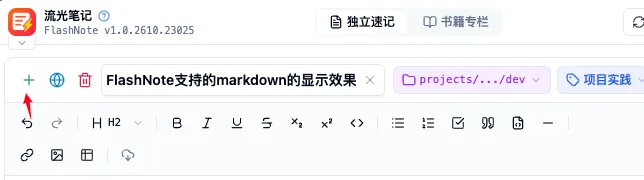
- Enter a title and write using Markdown or rich text;
- Notes are automatically saved locally in IndexedDB without manual saving.
Scenario B: Smart Web Capture
- Select key paragraphs on any web page (or clip the full page);
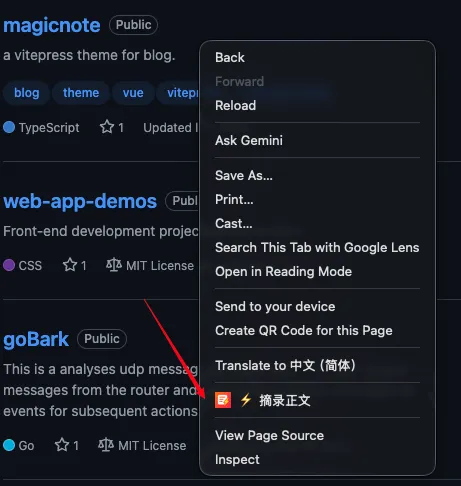
- Right-click and choose “Add to FlashNote” or click the clip button in the sidebar;
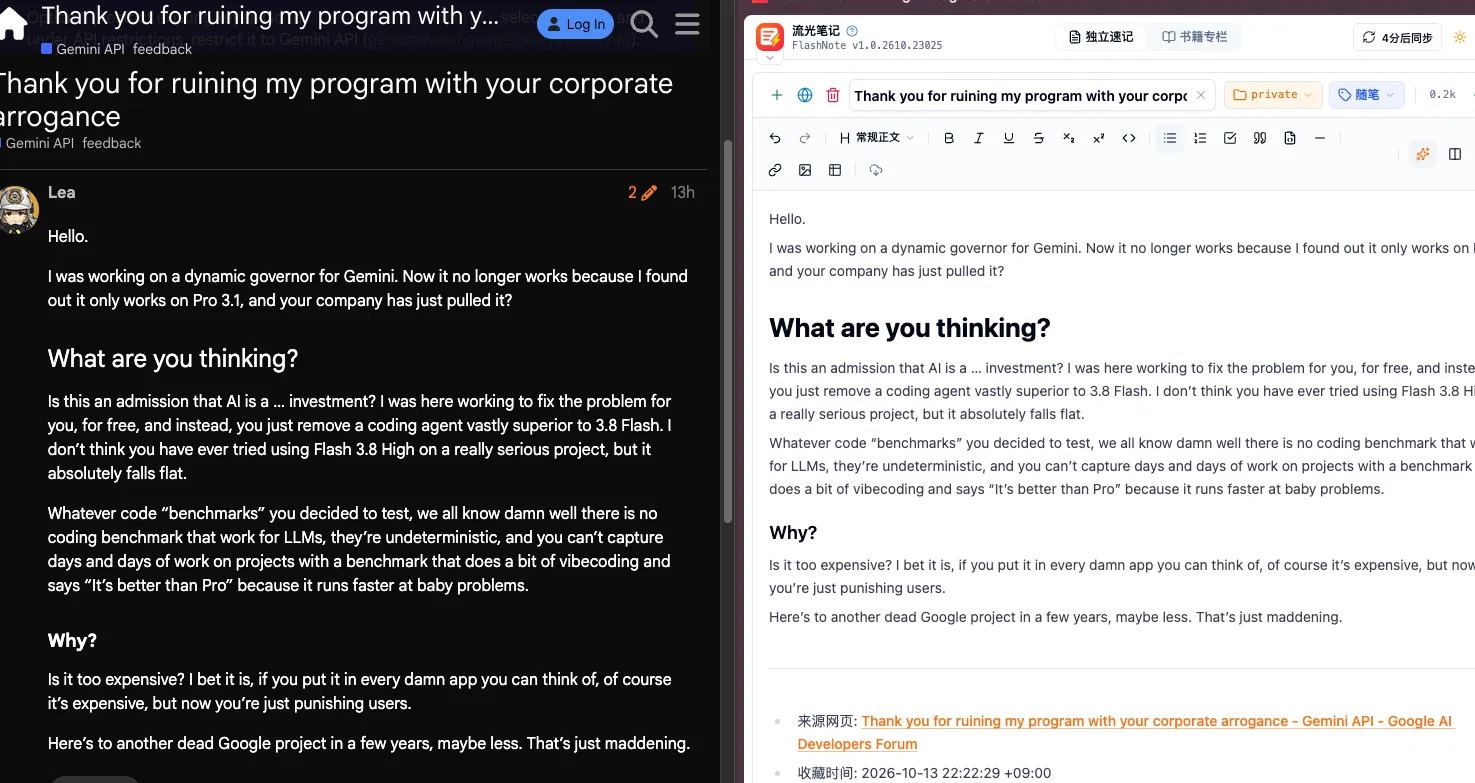
- The DOM sanitization engine strips noisy ads, anchor links, and redundant quotes while downloading images locally for offline availability.
4. AI Engine & Dual Extraction
FlashNote integrates a next-generation multi-provider AI engine to organize your thoughts:
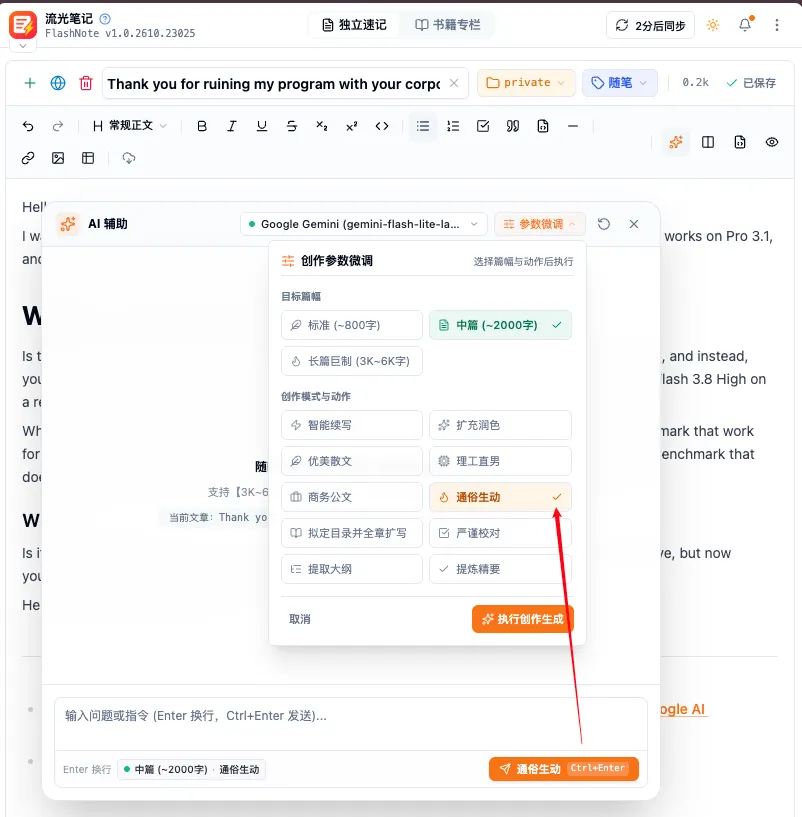
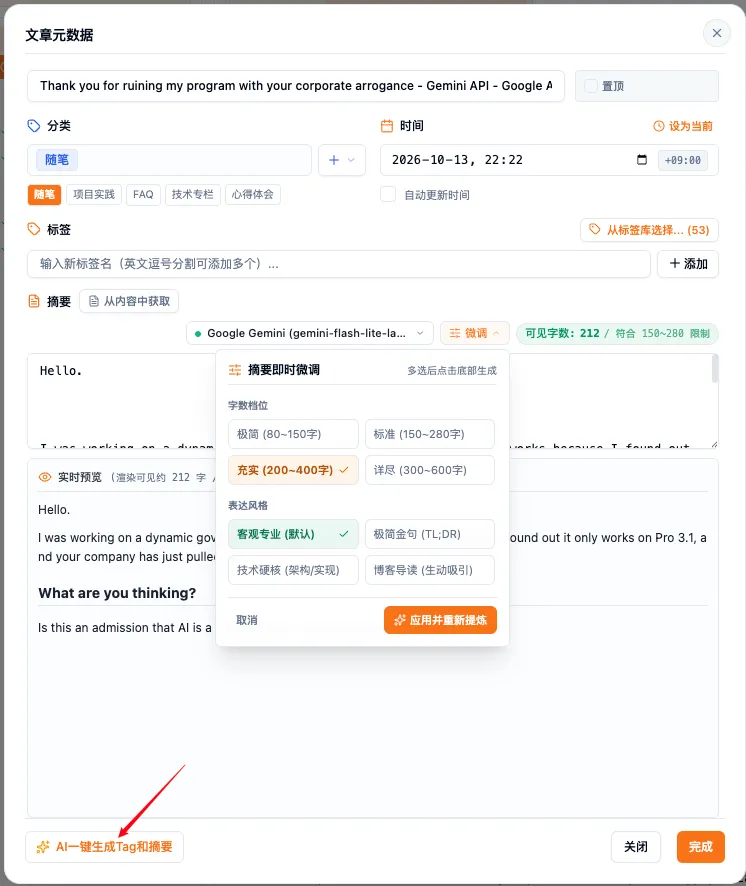
- Blog Direct FrontMatter & Single Round-Trip Dual Extraction: Click “AI Refine” on the toolbar to generate 150-280 word clean summaries and extract category tags in a single call (saving 50% API quota);
- Language Alignment: Automatically detects English, Chinese, and Japanese to match output language to input text;
- 429 Failover: Seamlessly fails over to healthy backup models when hitting rate limits or quota exhaustion.
[!TIP] Next recommended steps:
- ✍️ Markdown & Editor Guide: Explore the 4 view modes and code formatting;
- 📐 Mermaid & Math Guide: Embed interactive diagrams and formulas.